1
2
3
4
5
6
7
8
9
10
11
12
13
14
15
16
17
18
19
20
21
22
23
24
25
26
27
28
29
30
31
32
33
34
35
36
37
38
39
40
41
42
43
44
45
46
47
48
49
50
51
52
53
54
55
56
57
58
59
60
61
62
63
64
65
66
67
68
69
70
71
72
73
74
75
76
77
78
79
80
81
82
83
84
85
86
87
88
89
90
91
92
93
94
95
| import requests
import random
import time
import json
class Myhttp:
def __init__(self):
self.base_url = "https://服务器/services/v2/xxxx/yaoYiYao"
self.userId = 100000
self.longitude = 109
self.latitude = 35
self.blindBox = 0
self.headers = {
"Content-Length": "0",
"Host": "服务器",
"Connection": "Keep-Alive",
"Accept-Encoding": "gzip",
"User-Agent": "okhttp/4.10.0"
}
def update_params(self):
"""更新请求参数(随机化)"""
random.seed(time.time())
temp = random.random()
self.userId += int(temp * 1000000)
self.longitude += (temp - 0.5) * 20
self.latitude += (temp - 0.5) * 20
print(f"当前参数: UserID={self.userId}, 经纬度=({self.longitude}, {self.latitude})")
def post(self):
"""发送POST请求(无需参数)"""
try:
params = {
"userId": self.userId,
"longitude": self.longitude,
"latitude": self.latitude,
"blindBox": self.blindBox
}
response = requests.post(self.base_url, params=params, headers=self.headers)
response.raise_for_status()
response_text=json.loads(response.text)
return response_text
except requests.RequestException as e:
print(f"请求出错: {e}")
exit()
def Myprint(msg):
"""安全地打印消息内容,处理可能的空数据情况"""
if msg is None or msg.get("datas") is None:
print("没有找到有效的漂流瓶数据,跳过打印")
return
xxxx_dto = msg["datas"].get("xxxxDTO")
if not xxxx_dto:
print("没有找到有效的漂流瓶信息,跳过打印")
return
xxxx_info = xxxx_dto.get("xxxxInfo", "")
user = xxxx_dto.get("user", {})
nickname = user.get("nickName", "无名人")
city_name = xxxx_dto.get("cityName", "未知地")
create_date_short = xxxx_dto.get("createDateShort", "")
media_url_list = xxxx_dto.get("mediaUrlList", "")
print(nickname, 'from', city_name, '\n', xxxx_info, '\n', create_date_short, '\n', media_url_list)
if __name__ == "__main__":
http_client = Myhttp()
while True:
http_client.update_params()
for i in range(5):
msg=http_client.post()
Myprint(msg)
time.sleep(2)
print("\n\n\n\n\n\n下一个漂流瓶来咯~~~~~~\n\n")
print("===== 休息5秒 =====")
time.sleep(3)
|
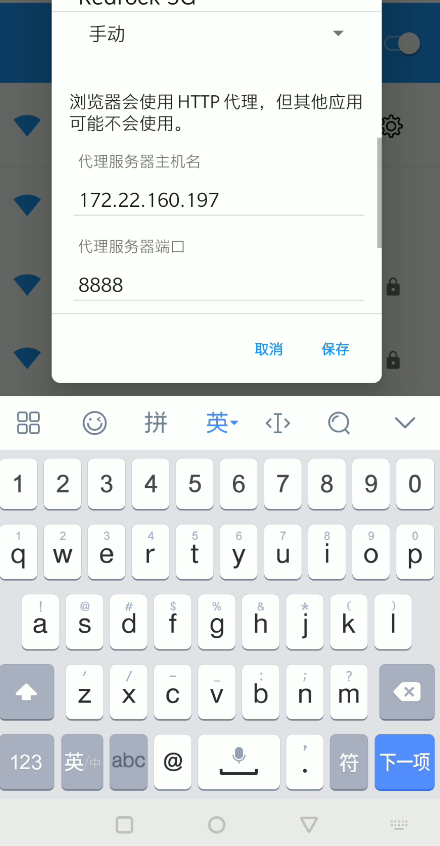
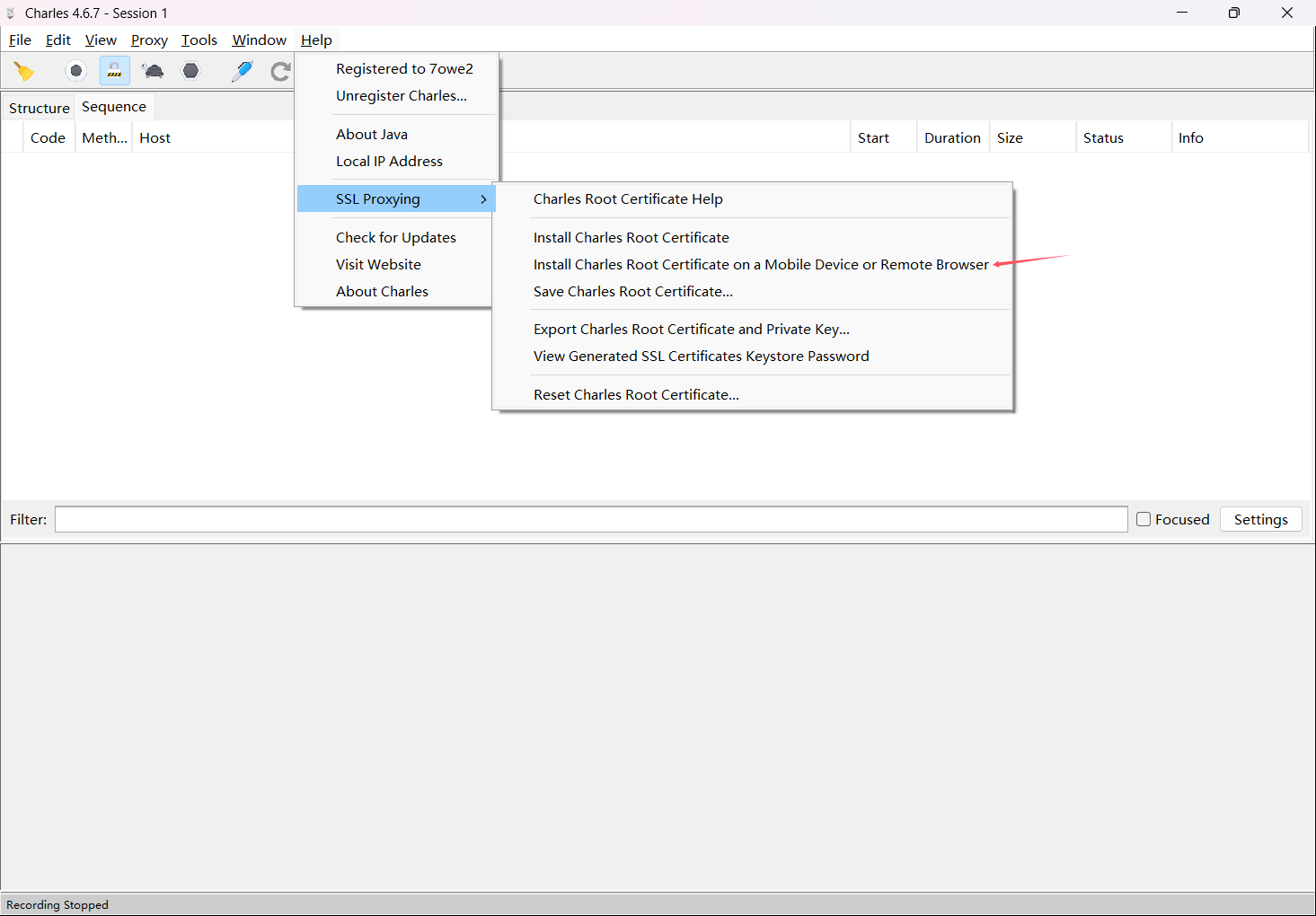
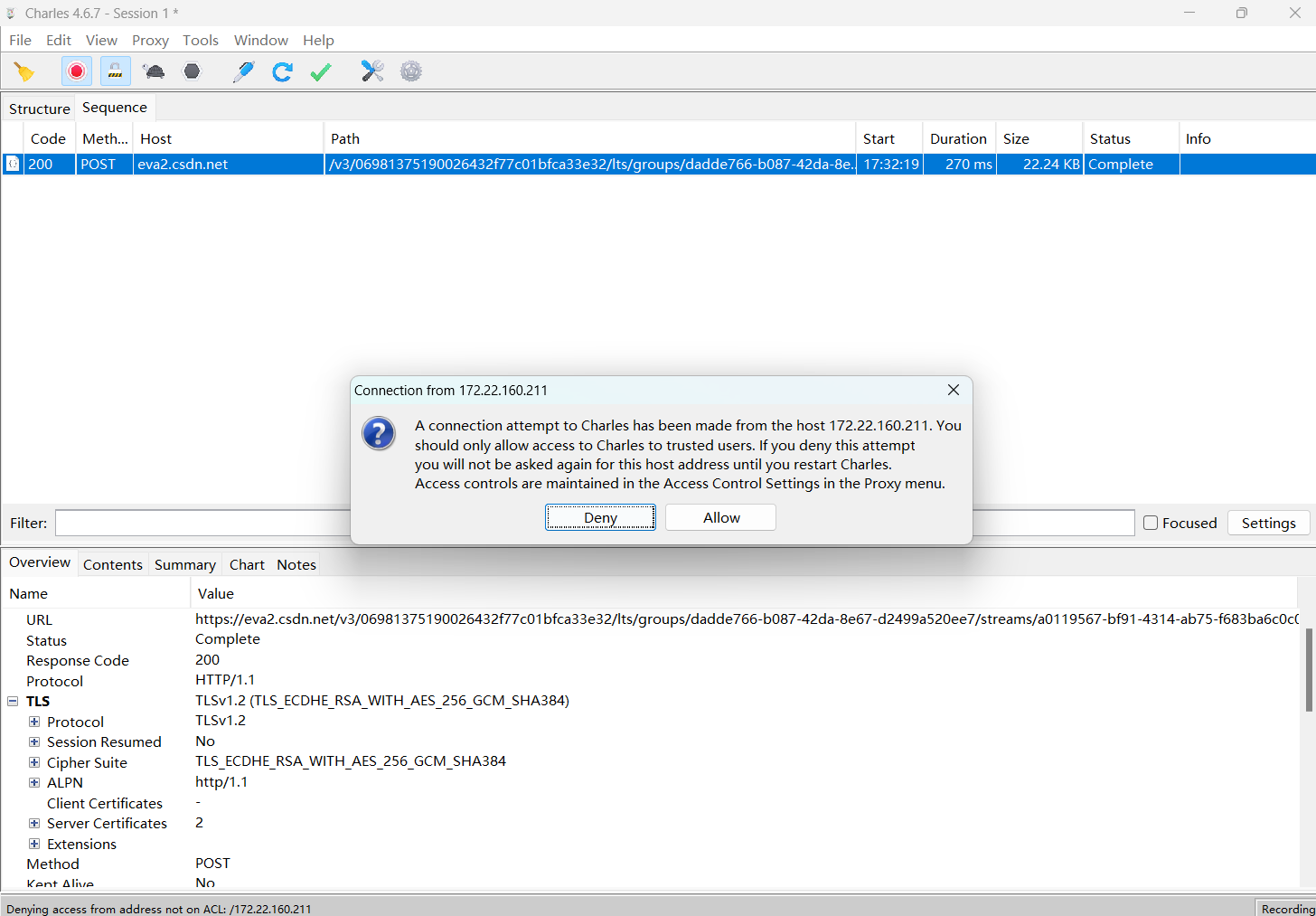
![[Pastedimage20250524175146.png]](/post/a11b6dd3/Pastedimage20250524175146.png)
![[Pastedimage20250524194201.png]](/post/a11b6dd3/Pastedimage20250524194201.png)
![[Pastedimage20250524194829.png]](/post/a11b6dd3/Pastedimage20250524194829.png)
![[Pastedimage20250524200553.png]](/post/a11b6dd3/Pastedimage20250524200553.png)
![[Pastedimage20250524201438.png]](/post/a11b6dd3/Pastedimage20250524201438.png)