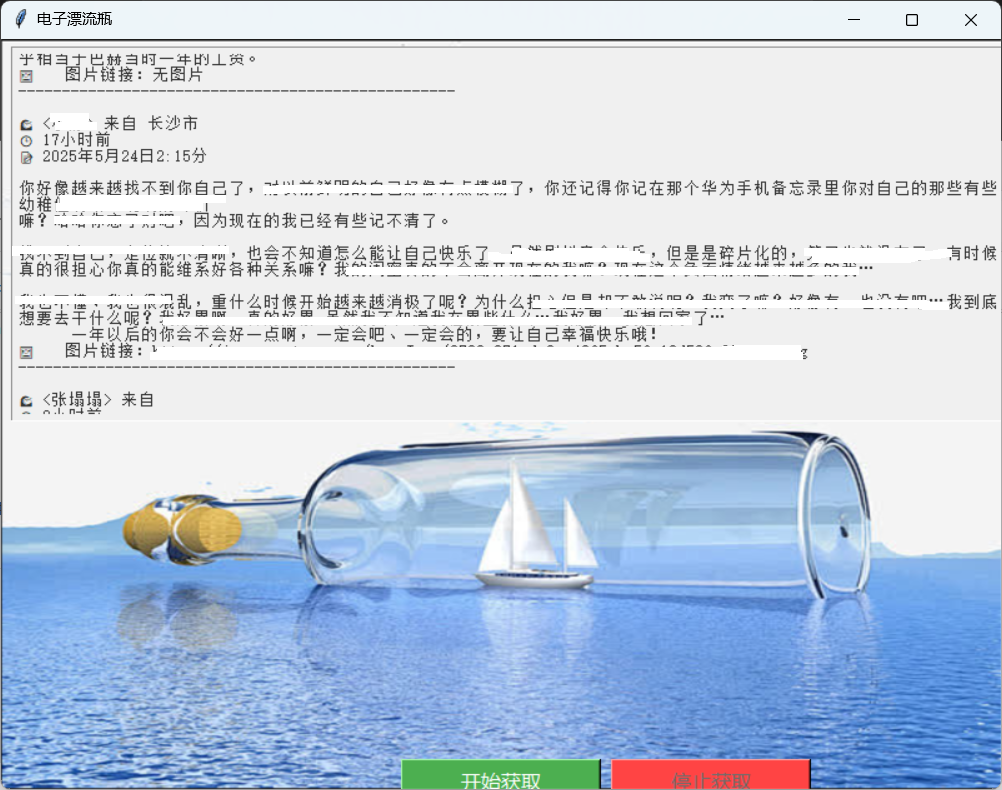
本文不构成任何技术操作指导或建议,仅供技术交流与学习参考。如发现本文内容存在可能违反法律规定的情况,请立即联系本人删除相关内容。(已对图片中出现的包名和应用名进行处理)
Charles使用
官网网址:https://www.charlesproxy.com
网上已经有很多相关的教程了,我这里写一遍有点浪费时间。这里给几个链接:
教程:https://blog.csdn.net/weixin_43612602/article/details/135287720
这个教程缺少手机端的操作:
下载安装好证书之后,电脑和手机连接到同一个网络,手机 WIFI 设置中,长按连接的网络,选择修改网络,其中代理选择手动,代理主机名是电脑的 IP 地址(IP 并不是每次都不变的,路由器的 ARP 表会更新的,所以一段时间之后重新进行代理,一定要记得重新设置一下‘代理服务器主机名’这一项)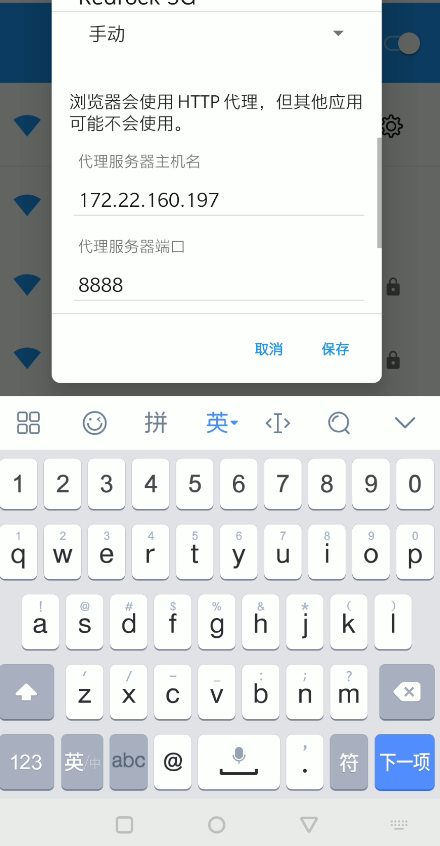
端口往往是 8888:
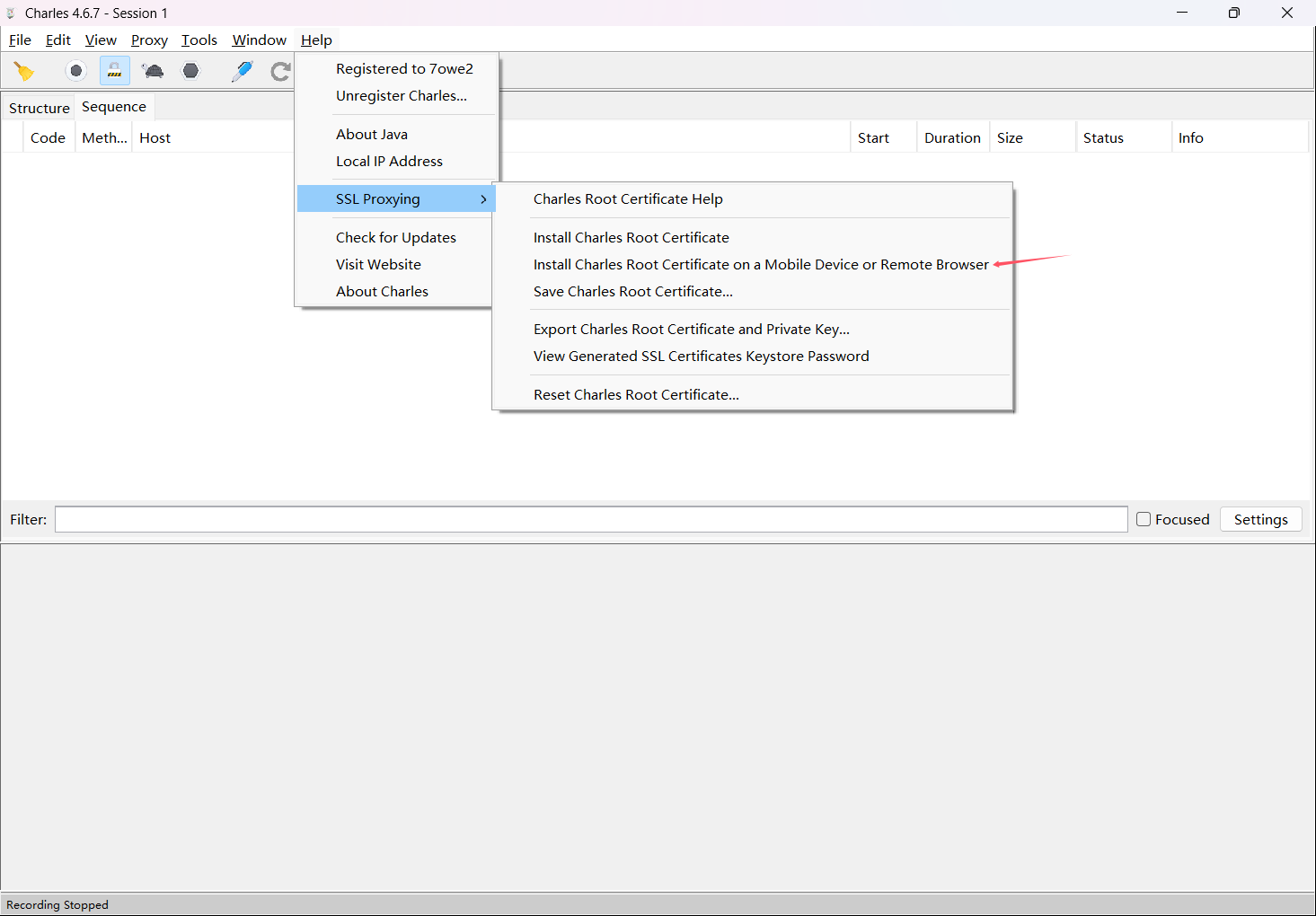
可以在电脑端 Charles 中的 Help->SSL Proxying->install charles RootCertificate on a Mobile…
然后,当开始抓包时,
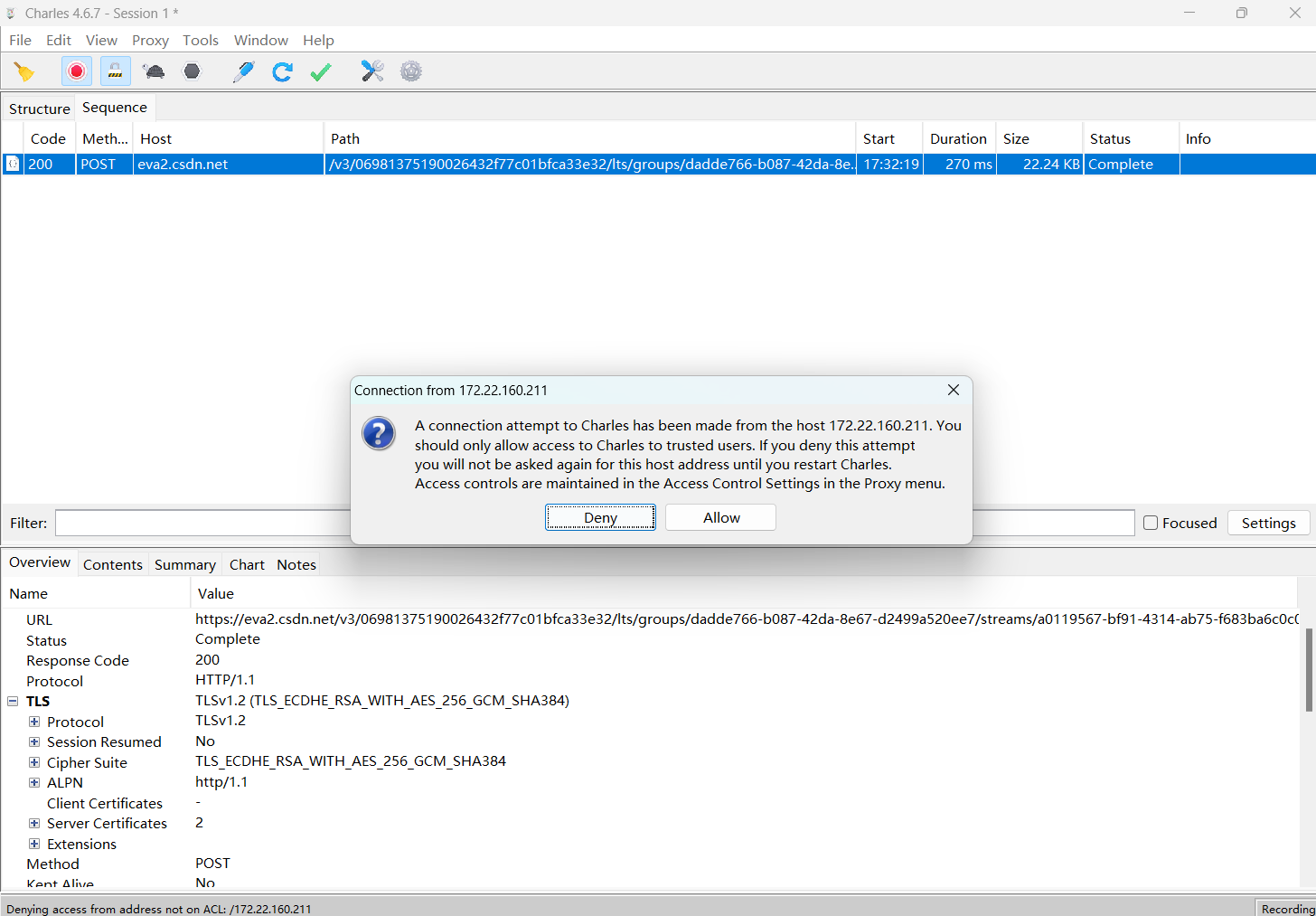
点击 Allow 即可。
应用抓包
这次的目标是一款心理治愈类 APP,它有个挖胶囊的功能,但是每个账号每天只能抓 5 个胶囊。
开始之前,可以先把本地抓包关闭了,只抓手机上的数据包:
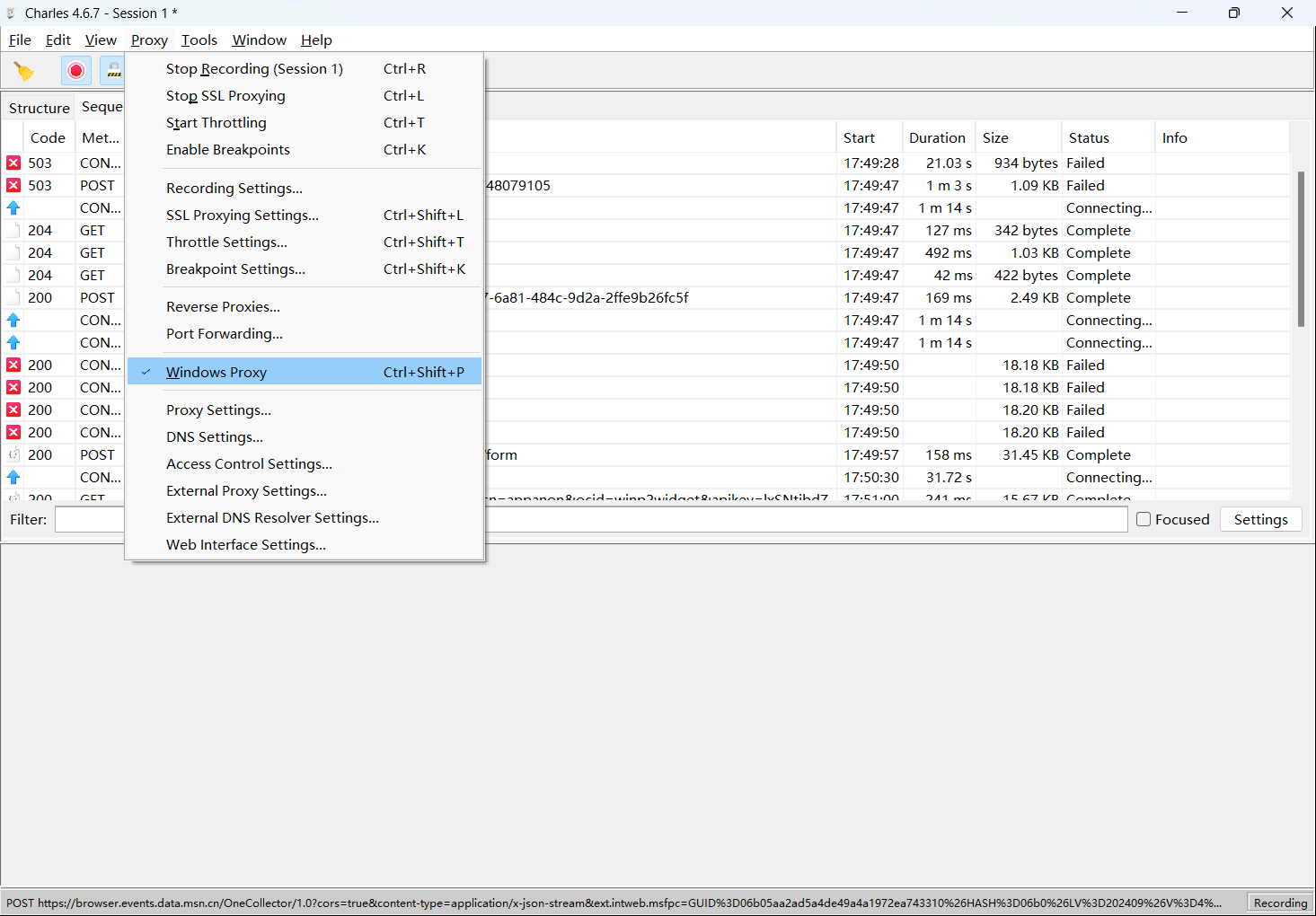
关闭 Windows Proxy。
然后挖个胶囊看看怎么个事:
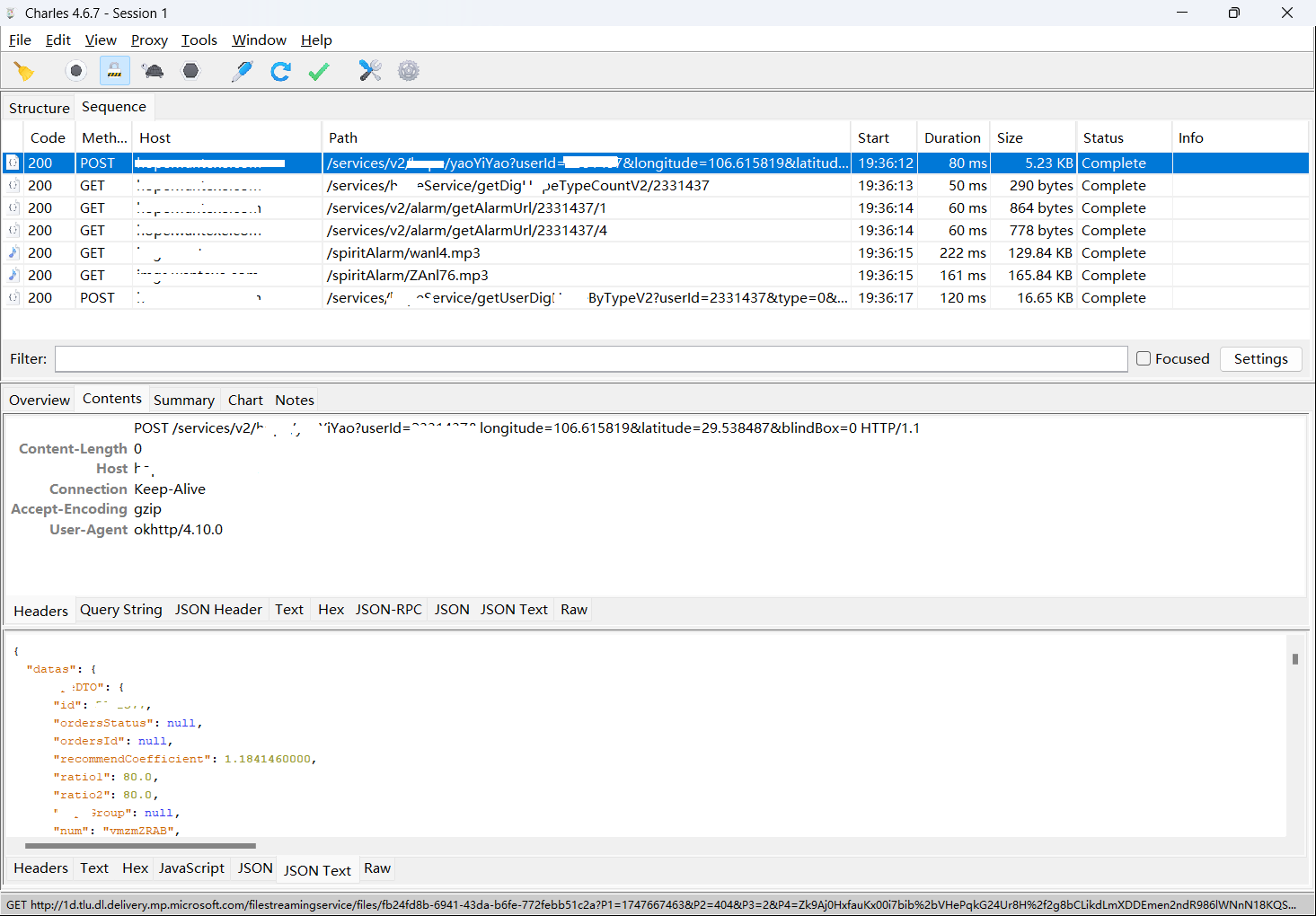
先发送一个 POST 请求,获取 Yaoyiyao 服务,服务器随机返回一个用户的 info,然后 APP 根据 info 再次发送 info 中相关资源的 GET 请求,获取诸如头像,图片,音乐之类的资源,最后再获取与该 info 相关的评论。
再看看 POST 请求的 param 怎么设计的,有哪些参数:

我们照着这个请求自己实现一下 POST:
import requests

URL="https://服务器/services/v2/xxxx/yaoYiYao"
myparams = {
    "userId":100000,
    "longitude":100,
    "latitude":50,
    "blindBox":0
}
myheader={
    "Content-Length": "0",
    "Host": "服务器",
    "Connection": "Keep-Alive",
    "Accept-Encoding": "gzip",
    "User-Agent": "okhttp/4.10.0"
}
response=requests.post(url=URL,params=myparams,headers=myheader)
print(response.text)
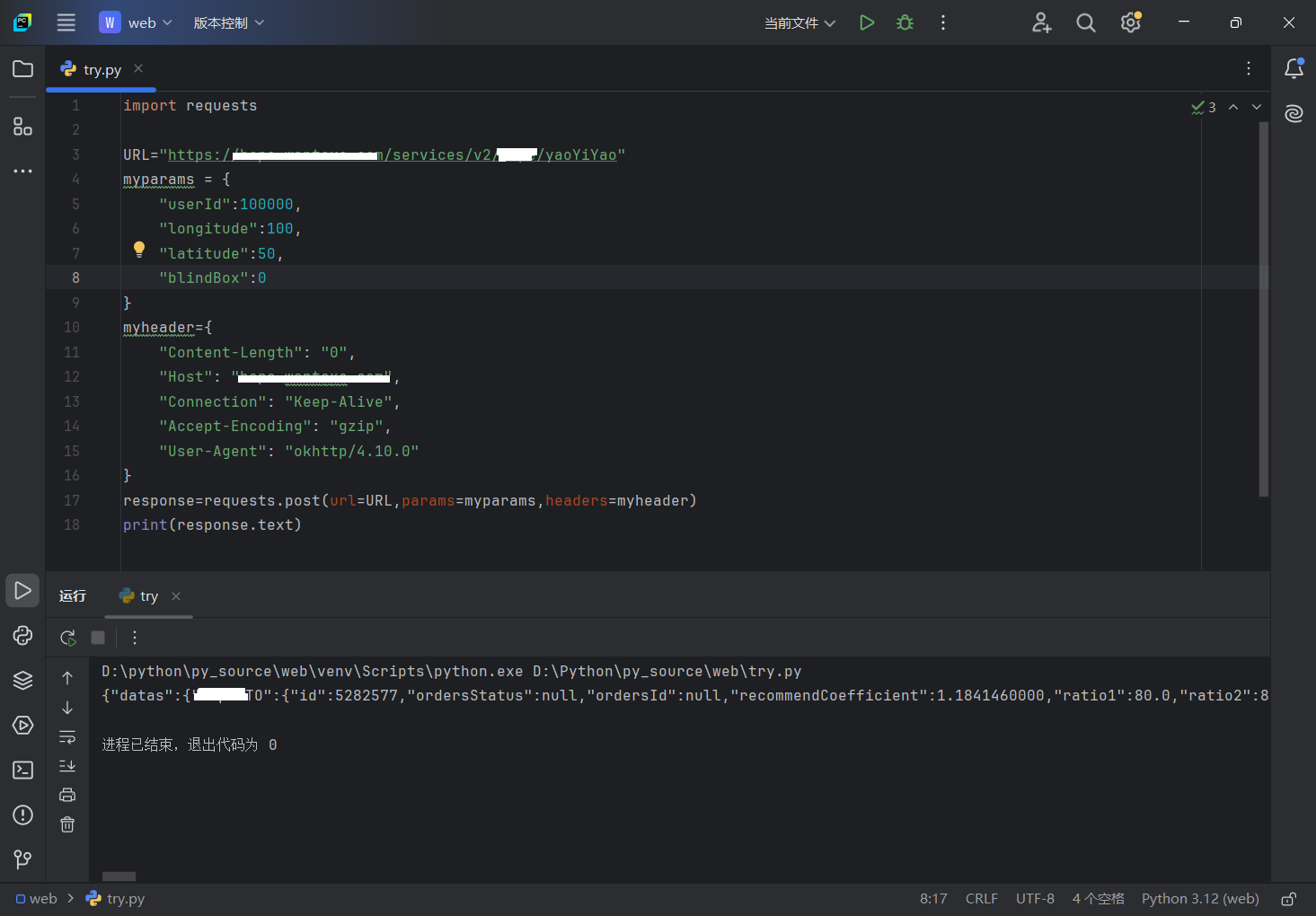
这样就能获得服务了,id 可以随意伪造,longitude 和 latitude 也是可以随意伪造的。这个功能有个机制就是每个账号每天只能挖五个胶囊,我们可以设计一下,每请求 5 次,更改一下账号和经纬度,就能继续获取。
我据此实现了一个漂流瓶功能:
import requests
import random
import time
import json

class Myhttp:
    def __init__(self):
        # 基础URL和默认参数
        self.base_url = "https://服务器/services/v2/xxxx/yaoYiYao"
        self.userId = 100000
        self.longitude = 109
        self.latitude = 35
        self.blindBox = 0

        # 通用请求头
        self.headers = {
            "Content-Length": "0",
            "Host": "服务器",
            "Connection": "Keep-Alive",
            "Accept-Encoding": "gzip",
            "User-Agent": "okhttp/4.10.0"
        }

    def update_params(self):
        """更新请求参数(随机化)"""
        random.seed(time.time())
        temp = random.random()

        # 更新参数(使用更合理的随机化逻辑)
        self.userId += int(temp * 1000000)  # 随机增加用户ID
        self.longitude += (temp - 0.5) * 20  # 经度随机浮动
        self.latitude += (temp - 0.5) * 20  # 纬度随机浮动

        # 打印当前参数(调试用)
        print(f"当前参数: UserID={self.userId}, 经纬度=({self.longitude}, {self.latitude})")

    def post(self):
        """发送POST请求(无需参数)"""
        try:
            # 构建请求参数
            params = {
                "userId": self.userId,
                "longitude": self.longitude,
                "latitude": self.latitude,
                "blindBox": self.blindBox
            }

            # 发送请求
            response = requests.post(self.base_url, params=params, headers=self.headers)
            response.raise_for_status()  # 若状态码不是2xx,抛出异常
            response_text=json.loads(response.text)
            #print(response.text)

            return response_text  # 返回JSON格式的响应数据

        except requests.RequestException as e:
            print(f"请求出错: {e}")
            exit()


def Myprint(msg):
    """安全地打印消息内容,处理可能的空数据情况"""
    if msg is None or msg.get("datas") is None:
        print("没有找到有效的漂流瓶数据,跳过打印")
        return

    xxxx_dto = msg["datas"].get("xxxxDTO")
    if not xxxx_dto:
        print("没有找到有效的漂流瓶信息,跳过打印")
        return

    # 安全获取各个字段的值
    xxxx_info = xxxx_dto.get("xxxxInfo", "")
    user = xxxx_dto.get("user", {})
    nickname = user.get("nickName", "无名人")
    city_name = xxxx_dto.get("cityName", "未知地")
    create_date_short = xxxx_dto.get("createDateShort", "")
    media_url_list = xxxx_dto.get("mediaUrlList", "")

    # 打印获取到的信息
    print(nickname, 'from', city_name, '\n', xxxx_info, '\n', create_date_short, '\n', media_url_list)
# 使用示例
if __name__ == "__main__":
    http_client = Myhttp()

    while True:
        http_client.update_params()
        for i in range(5):
            msg=http_client.post()  # 发送请求
            Myprint(msg)
            time.sleep(2)  # 等待2秒
            print("\n\n\n\n\n\n下一个漂流瓶来咯~~~~~~\n\n")
        # 每5次请求后等待更长时间
        print("===== 休息5秒 =====")
        time.sleep(3)
再加上一点页面: